Isometric Chair 3D Render Pack 34: Practical Visuals for Modern Projects
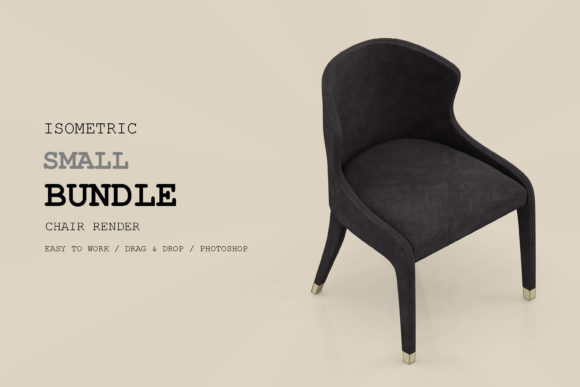
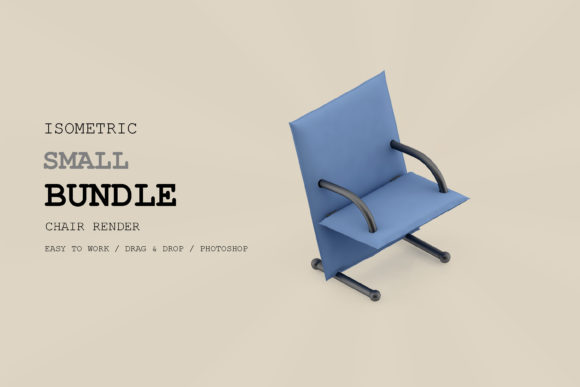
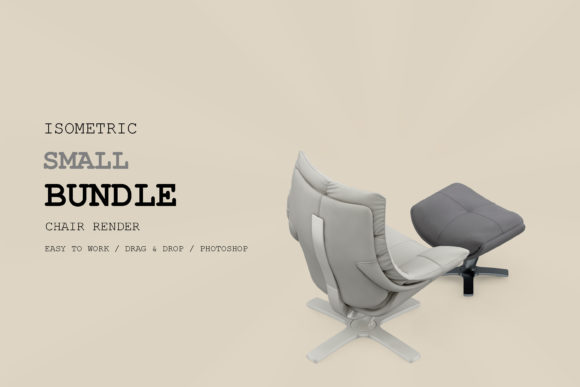
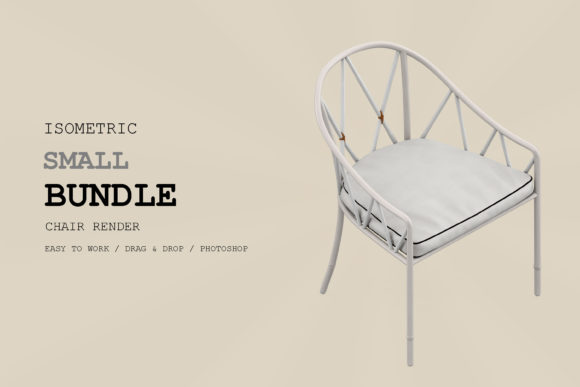
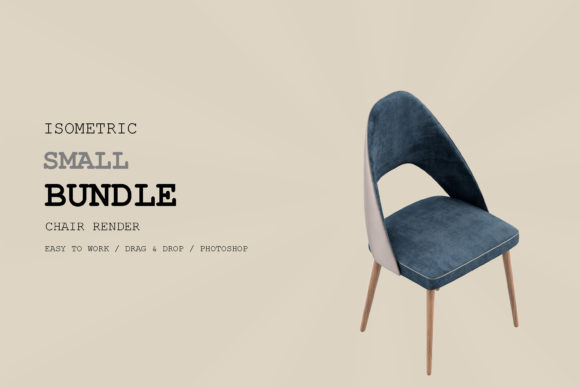
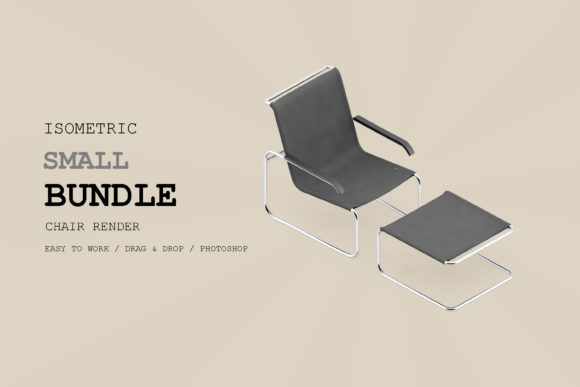
If you have ever spent hours modeling a single chair from scratch only to realize the lighting is off or the perspective does not quite fit your layout, you already know why pre-built render packs exist. Isometric Chair 3D Render Pack 34 is exactly what the name suggests: a curated collection of isometric chair renders, but the real value lies in how you can drop them into presentations, websites, pitch decks, or educational materials without needing a full 3D workflow. This pack targets a specific need—clean, consistent, isometric furniture visuals—and delivers it in a format that saves time and preserves visual coherence.
What Makes This Pack Stand Out
Isometric chair renders occupy a particular niche. They are not photorealistic in the traditional sense, but they offer a stylized clarity that works beautifully for interface design, infographics, instructional content, and branding. The 34 renders in this pack share a unified perspective and lighting setup, which means you can combine multiple chairs in a single scene without jarring inconsistencies. That consistency is often the hardest thing to achieve when sourcing assets from different places.
The pack leans into clean lines, subtle shading, and a neutral enough aesthetic that the chairs do not overpower other elements in your composition. Whether you are building a dashboard for a furniture configurator or illustrating a blog post about workplace ergonomics, the renders serve as versatile building blocks. They are not tied to a specific brand or style trend, so they remain useful across different projects and seasons.
Where Isometric Chair Renders Add Real Value
Let us move beyond the obvious. Yes, you can use these renders in a furniture catalog or a design portfolio. But the practical applications stretch further when you think like a communicator rather than just a designer.
Presentations and Pitch Decks
When you are presenting a workspace concept or an interior layout to a client, realistic renderings can sometimes distract with too much detail. Isometric views strike a balance: they look polished and intentional without pretending to be photographs. Dropping a few chairs from Isometric Chair 3D Render Pack 34 into a slide deck immediately signals that you have thought about scale, spacing, and the human element. It also keeps the file size manageable compared to embedded 3D models.
Educational and Instructional Content
If you teach design, architecture, or even woodworking, isometric illustrations help students understand spatial relationships without the noise of texture mapping or complex lighting. The pack gives you ready-made visuals for handouts, slide decks, or online course modules. You can label parts, overlay arrows, or use the chairs as placeholders in larger diagrams. The consistent angle across all 34 renders means you are not constantly re-explaining the perspective.
Digital Product Design and UI Mockups
For entrepreneurs and product managers building furniture configurators, interior design apps, or e-commerce prototypes, isometric icons and illustrations are a staple. The pack supplies a library of chair shapes that can populate a grid view, a comparison tool, or a customization interface. Because the renders are clean and not overly detailed, they work well at small sizes without becoming muddy. That is a practical advantage when you are designing for responsive screens.
Efficiency Gains for Freelancers and Small Teams
Freelancers often juggle multiple projects with tight turnarounds. Spending an afternoon modeling a single chair is rarely the best use of time when a client just needs a visual placeholder or a consistent set of furniture illustrations. Isometric Chair 3D Render Pack 34 fills that gap. You can pull a render, resize it, and place it into a layout in minutes. The time saved on one or two projects adds up quickly, and the result is a professional-looking deliverable without the overhead of a full 3D pipeline.
Small teams benefit similarly. If you have one designer handling visuals while others focus on content or development, a shared asset pack keeps everyone using the same visual language. No more hunting through folders for that one chair render you used last month—the pack is self-contained and clearly numbered.
Practical Considerations Before You Use the Pack
No asset pack is a magic bullet. Here are a few observations worth keeping in mind when you integrate Isometric Chair 3D Render Pack 34 into your workflow.
- Resolution and scaling. Check the resolution of the renders against your intended output. If you are designing for large print, you may need to upscale or confirm the file dimensions early. For digital use, the pack typically works fine out of the box.
- Background and transparency. Verify whether the renders come with transparent backgrounds or if they include a solid backdrop. Transparent files give you more flexibility for overlaying on colored or textured surfaces.
- Style consistency with other assets. The pack provides a unified look, but if you mix it with renders from other sources, pay attention to line weight, shadow direction, and color temperature. Small mismatches become obvious in isometric compositions.
- Licensing and usage rights. Always confirm what you can and cannot do with the assets—commercial use, modification rights, and redistribution terms vary between packs.
Real-World Applications I Have Seen Work Well
I have watched a startup use an earlier version of a similar pack to populate a prototype for a virtual room planner. They had no 3D artist on the team, but the isometric chairs gave their demo enough visual structure to secure seed funding. In another case, a blogger writing about home office setups used the renders as featured images for a series of articles. The consistent style made the blog look cohesive even though the posts covered different chair models and price points.
For educators, the pack can serve as a quick visual library for creating worksheets or quiz materials. Imagine asking students to identify chair types based on isometric silhouettes, or to arrange chairs in a floor plan to meet occupancy requirements. The renders remove the friction of drawing everything by hand and let you focus on the learning objective.
How to Get the Most Out of the Pack
Instead of treating the 34 renders as a static collection, think of them as a modular system. Combine different chairs in a single scene to show variety. Layer in other isometric elements like desks, plants, or lighting fixtures if you have them. Use the chairs as scale references in architectural diagrams. Adjust the color or apply a subtle filter if the pack allows, but do not over-process—the strength of isometric art is its clean, readable quality.
If you are building a brand guide or a product catalog, consider using the same chair render across multiple contexts: a hero image, a thumbnail, and a technical diagram. Repetition of a consistent visual builds recognition and confidence in your audience.
Final Thoughts on Isometric Chair 3D Render Pack 34
Asset packs like this one do not replace original design work, but they remove the grunt work so you can focus on composition, messaging, and user experience. Isometric Chair 3D Render Pack 34 offers a solid foundation for anyone who needs furniture visuals without the overhead of 3D software. Whether you are a marketer putting together a lookbook, a freelancer racing against a deadline, or an educator building course materials, the pack gives you a consistent, professional starting point. Keep it in your toolkit for those moments when a chair is not just a chair—it is the visual cue that ties your whole project together.