The Art and Science of 3D Wall Logo Mockups in Spatial Branding
When a brand steps off the screen and onto a physical wall, something shifts. The logo is no longer a flat image scaled to fit a digital canvas; it becomes part of an environment, a three-dimensional object that interacts with light, perspective, and texture. This transformation is precisely what a 3d Wall Logo Mockup simulates long before any material is cut or any adhesive is applied. For architects, brand managers, interior designers, and even small business owners, the ability to preview a dimensional logo on a realistic wall surface has become an essential step in the branding workflow. It bridges the gap between abstract design and tangible experience, allowing stakeholders to make informed decisions about size, material, finish, and placement.
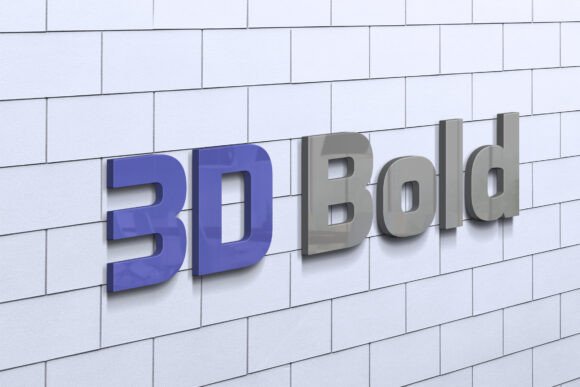
Unlike traditional flat mockups that merely superimpose a logo onto a photograph, a 3d Wall Logo Mockup treats the logo as a physical object with depth, shadow, and material properties. The logo can be rendered in brushed metal, translucent acrylic, CNC-carved wood, or polished brass, and then placed on a brick wall, a glass partition, a textured concrete surface, or a painted drywall. The result is a preview that feels almost photographic, yet it remains fully adjustable. This ability to iterate rapidly without physical prototyping saves time, reduces waste, and opens up creative possibilities that might otherwise be too expensive or time-consuming to explore.
How Depth and Dimension Change Perception
One of the most overlooked aspects of logo design is how it behaves in three dimensions. A logo that looks balanced and elegant on a digital screen can appear thin or overwhelmed when fabricated as a physical sign. Conversely, a logo that seems heavy in 2D can become a graceful sculptural element when given appropriate thickness and bevel. A 3d Wall Logo Mockup reveals these nuances early. The interplay of light across raised edges, the subtle shadow cast by an undercut, and the way a glossy finish catches ambient light are all factors that influence how a logo is perceived in a real space.
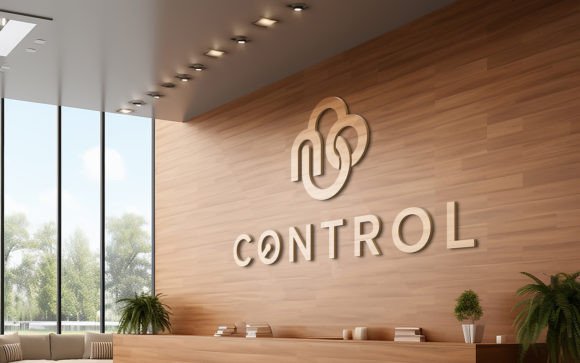
Consider a lobby reception wall. The logo there is often the first visual handshake a visitor receives. If the logo is too small, it lacks presence. If it is too large, it can feel aggressive. If the material is too reflective, it might compete with nearby lighting fixtures. Through a realistic 3d Wall Logo Mockup, these variables can be tested against actual room dimensions, existing furniture, and lighting conditions. Designers can adjust the extrusion depth, the angle of the bevel, and even the surface roughness until the logo reads correctly from both close-up and distance.
Materiality and Finish: The Tactile Illusion
Modern 3d Wall Logo Mockup tools allow designers to assign physically accurate materials to the logo geometry. This goes far beyond choosing a color. A brushed aluminum surface will have anisotropic reflections that change with the viewing angle. A frosted acrylic backlit logo will glow differently depending on the LED color temperature behind it. A weathered copper finish will develop patina over time, and a good mockup can simulate aged versions as well. These material simulations rely on PBR (physically based rendering) principles, meaning the way light interacts with the logo surface in the software closely matches real-world physics.
For businesses that operate in hospitality, retail, or corporate environments, the choice of material for a wall logo is a reflection of the brand's values. A luxury hotel might opt for a bronze casting with a satin finish, while a tech startup might prefer a backlit white acrylic sign with sharp, clean edges. A 3d Wall Logo Mockup lets both parties see how these materials perform under different lighting scenarios—direct sunlight, warm spotlights, or cool overhead fluorescents—without ordering a single physical sample.
Scaling and Environmental Context
One of the biggest challenges in wall logo design is scale. A logo that looks perfectly proportioned on a business card can become illegible when blown up to two meters wide, unless the stroke weights and negative spaces are adjusted. A 3d Wall Logo Mockup placed within a full-environment render gives context. The logo can be seen next to a doorway, above a reception desk, or on a feature wall behind seating. This spatial awareness helps designers and clients understand not just the size, but the visual weight of the logo relative to its surroundings.
For example, a logo made of narrow, delicate lines might look elegant in a mockup viewed straight-on, but when seen from an oblique angle, those thin lines may almost disappear if the extrusion depth is shallow. By rotating the camera or setting up multiple views in the 3d Wall Logo Mockup, these potential issues become obvious before fabrication. Similarly, a logo with large solid areas might look heavy on a wall, but if the material is translucent and backlit, the same logo can feel light and floating. The mockup allows exploration of these opposing effects without confusion.
Workflow Integration for Design Teams
Creating a high-quality 3d Wall Logo Mockup typically involves several software tools working in concert. Vector artwork from Illustrator or CorelDRAW is imported into a 3D modeling application such as Blender, Cinema 4D, or Fusion 360. There, the logo is extruded, beveled, and assigned materials. Environmental lighting is set up using HDRI maps or custom light rigs to match the intended installation site. The final render is produced with enough resolution and depth of field to look convincing. Some teams use real-time engines like Unreal Engine or Twinmotion to allow interactive walkarounds, where clients can see the logo from any angle in a virtual space.
This workflow is not limited to large agencies with dedicated 3D artists. Many online platforms now offer browser-based 3d Wall Logo Mockup generators that simplify the process. Users can upload their logo, choose a wall texture, adjust depth and material, and download a photorealistic preview in minutes. While these tools lack the full control of professional software, they are remarkably effective for quick decision-making and are widely used by small business owners, freelancers, and marketing teams.
- Vector import: Clean SVG or AI files produce the best extrusion results.
- Bevel profiles: Rounded, chamfered, or custom bevels change the logo's personality.
- Lighting setup: Multiple light sources reduce harsh shadows and reveal details.
- Camera lens: A 50mm or 85mm equivalent lens mimics natural human perspective.
- Background integration: Matching perspective and blur of the room photo is critical.
Client Communication and Approval
Perhaps the greatest value of a 3d Wall Logo Mockup lies in its ability to align expectations between designers and clients. A flat PDF rendering of a logo on a wall often leaves too much to the imagination. Clients may approve a design only to be disappointed when the fabricated sign looks different in the actual space. A 3D mockup eliminates much of that ambiguity. When a client sees a realistic preview of the logo under simulated lighting, with accurate materials and scale, they develop a clearer mental model of the outcome. Approval becomes more confident and less prone to revision cycles.
Moreover, mockups make it easier to present multiple options. Instead of describing a brushed vs. polished finish in words, the designer can show two renders side by side. The client can directly compare the visual impact of a raised acrylic logo versus a recessed metal one. This visual comparison speeds up decision-making and reduces the back-and-forth that often plagues sign design projects. In many cases, the mockup also serves as a reference for the fabricator, who can see exactly what finish and dimensions are expected.
Real-World Use Cases Across Industries
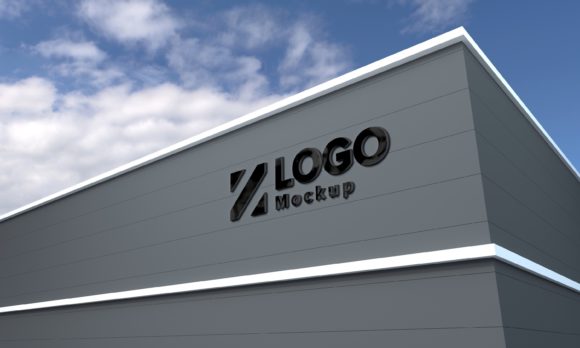
The applications of 3d Wall Logo Mockups span a wide range of environments. In retail, storefront logos need to be visible from across a street and also look elegant up close. A mockup can simulate how the logo appears at different distances and under changing daylight. In corporate offices, wall logos often appear in reception areas, conference rooms, and cafeteria spaces. Each location may require a different size, material, or mounting method, and mockups for each location ensure consistency across the brand's physical presence.
Museums and cultural institutions use dimensional logos as wayfinding elements that double as art pieces. A 3d Wall Logo Mockup helps curators see how the logo interacts with gallery lighting and adjacent exhibits. In healthcare, wall logos in calming matte finishes help create a non-clinical atmosphere, and mockups allow committees to preview the effect before committing. Even in residential settings, homeowners who commission a custom wall logo for a home gym, a wine cellar, or a children's playroom benefit from a 3d Wall Logo Mockup that lets them experiment with size and color before installation.
Technical Considerations for Realistic Output
Generating a convincing 3d Wall Logo Mockup requires attention to several technical details. Shadows should be soft if the light source is diffuse, and hard if the light is direct. Reflections on glossy logos should show the environment, not just a white void. The surface of the wall itself should have appropriate bump or normal maps to show pores, grain, or trowel marks. Without these details, the logo will look pasted on, failing the illusion of physical presence. Fortunately, modern render engines handle these calculations automatically if the user assigns proper input textures.
Another consideration is the logo's mounting method. Is it flush against the wall, or does it stand off on standoffs? Standoffs create a gap between the logo and the wall, casting a sharp drop shadow and giving the logo a floating appearance. A good 3d Wall Logo Mockup will include these hardware elements, as they significantly affect the visual impression. Similarly, if the logo is backlit, the mockup must simulate the glow and the hot spots that occur near the LED strips. Ignoring these nuances can lead to a final product that differs from the approved design.
Future Trends in Dimensional Branding
As 3D rendering technology becomes more accessible and faster, the use of 3d Wall Logo Mockup tools is likely to grow. Augmented reality (AR) is already beginning to merge with mockup workflows, allowing clients to point their phone at a real wall and see the logo appear in true scale and position. This development takes the mockup out of the computer screen and into the actual space, providing an even more accurate preview. In the near future, it will be common for a brand team to walk through a building with an AR headset and see multiple logo options placed on walls in real-time, with accurate lighting captured from the environment.
Sustainability also plays a role. By reducing the need for physical prototypes and sample fabrication, 3d Wall Logo Mockups contribute to lower material waste. Designers can iterate digitally until the design is finalized, and only then produce the physical sign. This aligns with the growing emphasis on sustainable practices in architecture and design. The mockup becomes not just a visualization tool, but a waste-reduction instrument.
Choosing the Right Approach for Your Project
For those new to dimensional signage, starting with a simple 3d Wall Logo Mockup is straightforward. Many software options have free tiers or trial versions. Blender, for example, is free and capable of producing professional-grade renders. Online mockup generators require no 3D experience and produce results in minutes. The key is to match the complexity of the mockup to the stakes of the project. A small office sign might only need a basic mockup with a single wall texture and plain lighting. A flagship storefront, on the other hand, warrants a full scene with accurate lighting, custom materials, and multiple camera angles.
Collaboration between the designer, the client, and the fabricator can also be smoothed by sharing the mockup file or a high-resolution render. Fabricators often appreciate a reference image that shows the intended finish and scale, as it reduces misinterpretation of technical drawings. In this sense, the 3d Wall Logo Mockup serves as a universal visual language that all parties can understand and agree upon.
Ultimately, the power of a 3d Wall Logo Mockup lies in its ability to make the intangible tangible. It turns a two-dimensional idea into a three-dimensional conversation. It lets designers test, clients approve, and fabricators build with confidence. Whether the logo is carved into wood, cast in bronze, or backlit in glowing acrylic, seeing it realistically placed on a wall before a single tool touches material is not just convenient—it transforms the entire branding process into something more thoughtful, precise, and collaborative.