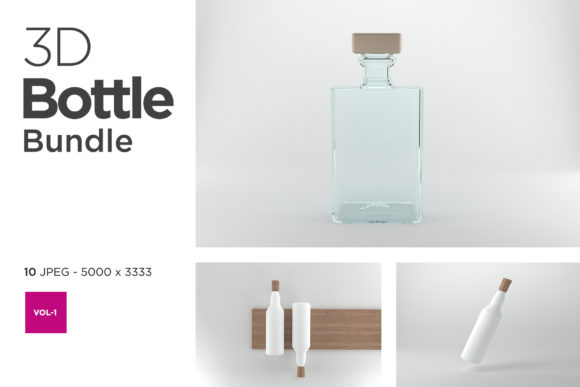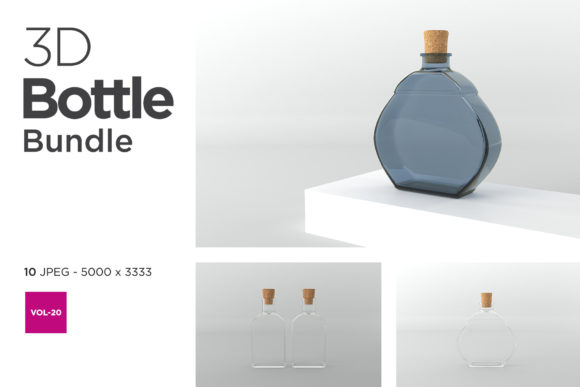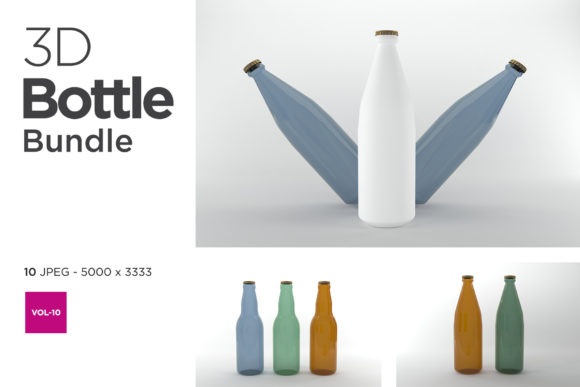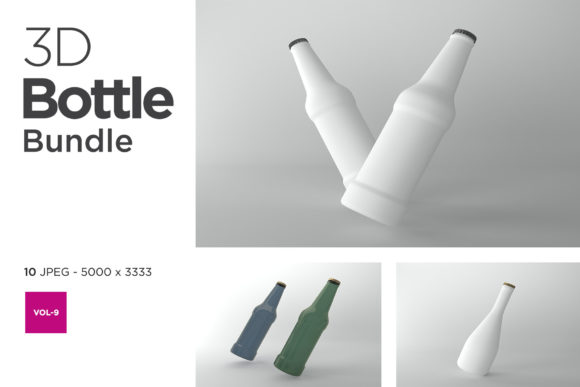
How 3D Bottle Mockup Bundle Vol-3 Transforms Visual Packaging Workflows
When a designer or brand manager stares at a blank bottle shape on a screen, the gap between concept and physical reality can feel immense. 3D Bottle Mockup Bundle Vol-3 addresses that gap by providing a ready-made digital environment where packaging designs are tested, refined, and presented with near-photographic realism. This bundle moves beyond simple placeholder images; it offers a structured way to evaluate how a label wraps around a cylinder, how light interacts with a glossy surface, and how a bottle looks in a lifestyle setting without commissioning a single physical print run. For professionals juggling tight deadlines and multiple branding projects, this tool represents a shift from waiting for samples to iterating instantly.
The Practical Architecture of a 3D Mockup Bundle
At its core, a 3D mockup bundle is a collection of pre-built scene files—often layered PSDs or editable 3D renders—that allow users to drop their artwork into a smart object or texture slot. 3D Bottle Mockup Bundle Vol-3 specifically focuses on bottle forms, which present unique challenges: curved surfaces distort flat artwork, reflections reveal every seam, and the transparency of glass or plastic changes with background lighting. The bundle addresses these by providing presets where the lighting, shadows, and camera angles are already optimized. Users can replace the label design, adjust the bottle color, or tweak the environment map without needing to build a 3D scene from scratch. This lowers the technical barrier for graphic designers who may not specialize in 3D modeling but still need convincing product visualizations.
Smart Object Layers and Non-Destructive Editing
One of the most practical characteristics of a well-built mockup bundle is the use of smart objects. When a user double-clicks a smart object layer, a new window opens containing only the area that will be mapped onto the bottle. Changes made there are automatically applied to the final composite. This non-destructive workflow means that a designer can experiment with ten label variations in the time it would take to export one static file. 3D Bottle Mockup Bundle Vol-3 typically follows this pattern, allowing for quick iterations that are essential when presenting options to stakeholders or testing different color schemes against a product category.
Why Lighting and Environment Matter in Bottle Visualization
Bottles are among the most reflective objects in consumer packaging. A glass bottle picks up the color of the table it sits on, the window behind it, and even the photographer's clothing. In a traditional photoshoot, controlling these reflections requires diffusers, flags, and careful positioning. In a 3D mockup, the environment is a digital HDRI map—a 360-degree image that wraps around the scene. 3D Bottle Mockup Bundle Vol-3 often includes several environment presets, from a bright studio softbox setup to a warm bar-side ambience. This variety lets the designer match the mood of the brand: a premium vodka might call for crisp, high-contrast reflections, while a natural shampoo bottle might benefit from softer, diffused light that suggests organic ingredients.
The Role of Subsurface Scattering and Transparency
For bottles made of translucent materials like PET or tinted glass, simple reflection maps are not enough. The material needs to simulate how light passes through the liquid inside and scatters beneath the surface. Advanced mockup bundles incorporate subsurface scattering settings that allow the bottle to glow slightly at the edges when backlit. This level of detail distinguishes a generic mockup from one that feels tactile. Users working with 3D Bottle Mockup Bundle Vol-3 can often adjust the liquid color, fill level, and opacity, making it possible to visualize a half-full amber bottle of craft beer or a clear bottle of coconut water with equal fidelity.
Use Cases Across Professional Roles
The value of a comprehensive bottle mockup bundle extends across many roles in a product's lifecycle. Below are some of the primary users and how they apply the tool in their daily work.
- Packaging designers use the bundle to validate label sizing and typography placement. By seeing how a logo wraps around a curved surface, they can adjust kerning and spacing to avoid distortion at the edges. They also test how different paper stocks—simulated through roughness maps—affect readability under various lighting conditions.
- Brand managers and marketers need visuals for sell sheets, online listings, and retailer presentations. A mockup allows them to produce consistent imagery across an entire product line without waiting for prototype shipments. They can show a shelf-ready visualization that includes multiple sizes, from 50 ml travel bottles to 750 ml family sizes, all with coherent lighting.
- E-commerce sellers and small business owners benefit from the ability to create professional-looking product photos on a limited budget. Rather than hiring a photographer or renting studio space, they can generate multiple angles of their product in a single afternoon. This is especially valuable for businesses launching new products frequently, such as craft beverage companies or artisanal skincare lines.
- Researchers and educators in packaging science use mockups to study how label contrast affects consumer attention. While they might not produce final marketing assets, they use the controlled environment to run perception studies, varying one element at a time and recording outcomes.
Real-World Example: Small-Batch Hot Sauce Brand
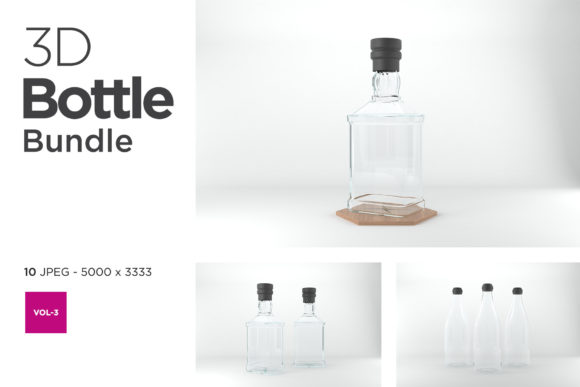
Consider a small-batch hot sauce brand developing its first retail line. The founder has a distinct label design but no budget for a full photoshoot. Using 3D Bottle Mockup Bundle Vol-3, they select a clear glass bottle preset with a rustic wooden background. They drop their label artwork into the smart object, adjust the sauce color to a deep crimson, and render three views: front-facing, three-quarter angle, and a top-down shot showing the cap. These images go directly onto the brand's website and crowdfunding campaign. The process takes one evening instead of three weeks. The mockup also helps them realize that the label text is slightly too close to the bottle edge, so they revise the artwork before ordering the first print run, saving hundreds of dollars in misprinted labels.
Considerations When Selecting a Mockup Bundle
Not all mockup bundles offer the same level of flexibility. The 3D Bottle Mockup Bundle Vol-3 is designed with several considerations that users should evaluate before committing to a particular asset pack.
- Resolution and file size: High-resolution mockups can exceed 5000 pixels on the longest side, which is excellent for print use but may slow down older computers. Users should check whether the bundle includes flattened or layered files and whether they can work within their hardware limitations.
- Label showcase versatility: Some bundles only allow a single label area, while others let users place separate artwork on the front, back, neck, and cap. The more zones available, the more realistic the final presentation, especially for products with wrap-around labels or multiple branding elements.
- Background and prop integration: A mockup that includes hand props, such as a hand holding the bottle or a pouring shot, adds lifestyle context that flat studio images lack. However, these require more careful integration to ensure the hand matches the lighting and color temperature of the bottle.
- Software compatibility: Most mockup bundles are built for Adobe Photoshop, but some now offer native support for Affinity Photo or Figma via smart object layers. Users should verify that the file format matches their primary design tool.
How the Bundle Fits Into a Broader Brand Workflow
A single mockup bundle is rarely the only tool in a designer's arsenal. It typically complements other resources such as die-cut templates, color profile swatches, and physical sample libraries. The most effective workflow is iterative: start with a flat label design in Illustrator, test it on the 3D mockup to check curvature and contrast, refine the typography, then send the final artwork to a printer. The mockup acts as a validation checkpoint that reduces the risk of costly reprints. For brands managing multiple SKUs, the bundle's ability to swap label files quickly makes it a central asset in a modular packaging system.
Trends in Packaging Visualization and 3D Mockups
The demand for realistic product visualization has grown alongside direct-to-consumer e-commerce, where the product image is often the only sensory cue a customer receives. 3D Bottle Mockup Bundle Vol-3 reflects several broader trends. One is the move toward hyper-realistic materials, where bump maps, roughness maps, and ambient occlusion are standard rather than optional. Another is the integration of augmented reality previews, where a mockup can be placed in a real space via a smartphone camera, though that typically requires a separate format such as a USDZ or GLB file. Still, the static mockup remains the workhorse of the industry because it is fast, shareable, and compatible with almost every presentation platform.
The Balance Between Realism and Flexibility
There is a trade-off between how realistic a mockup looks out of the box and how much control the user has. A scene with highly specific lighting and reflections may look stunning for one type of bottle but require significant adjustment for another. 3D Bottle Mockup Bundle Vol-3 tries to strike a balance by offering multiple scene variants—some with neutral gray backgrounds that are easy to composite, others with elaborate environments that tell a story. Users who prioritize speed might choose the neutral variants, while those working on a flagship product presentation may invest time in fine-tuning the elaborate scenes.
Practical Observations for Getting the Most Out of the Bundle
Based on experience using similar mockup bundles, here are some observations that can help users avoid frustration and achieve better results.
First, always flatten the label artwork to a single layer before placing it into the smart object. Transparency effects and layer styles in the source file may not translate correctly through the mapping process. Second, pay attention to the bottle color. A mockup preset might show a whitish glass as default, but changing it to a dark amber or emerald green can completely transform the mood. Third, test the mockup at different export resolutions. For web use, a 1500 pixel wide image is often sufficient, but for a product catalog printed at 300 DPI, the same file might need to be 4000 pixels wide. The bundled files should support this range without noticeable pixelation.
Avoiding Common Pitfalls in Artwork Alignment
One recurring issue is the misalignment of text or logos along the bottle's edge. Because the surface curves, a straight line on the label might appear to bend or wrap unevenly. The solution is to use the mockup as a test early in the design phase, before committing to final vectors. 3D Bottle Mockup Bundle Vol-3 allows users to rotate the bottle in the scene, revealing how the artwork behaves from all angles. If a logo shifts too far to one side, the designer can adjust the placement on the flat canvas by a few millimeters and reapply, repeating until the alignment feels natural.
Why the Bundle Stands Apart From Generic Mockups
Generic mockup generators available on the web often restrict users to a few preset angles and fixed lighting. A dedicated bundle like this one gives the designer control over nearly every visual variable. The difference is similar to using a point-and-shoot camera versus a professional DSLR with interchangeable lenses. Both can produce a photo, but the DSLR offers the flexibility to capture the exact image the photographer envisions. For packaging professionals who take pride in the details—the exact sheen of the label, the subtle shadow under the bottle's shoulder, the way light catches the liquid inside—the extra control is not a luxury; it is a necessity.
Furthermore, the bundle is often curated around a consistent aesthetic, meaning that multiple scenes share the same quality of rendering and color temperature. This consistency is critical when producing a lookbook or an online store where all product images should feel like they belong to the same brand universe. A designer can mix a front view and an angled view from the same bundle without any viewer noticing a shift in lighting or background texture.
Extensions and Community Contributions
Some users extend the bundle's functionality by creating their own environment maps or by combining multiple mockups into a composite scene showing a full product range. Although the bundle provides ready-to-use scenes, the most creative users treat it as a starting point. They might import the rendered bottle into a photograph of a shelf, or they might use the mockup to generate a series of images for an animated GIF that rotates the bottle. This flexibility ensures that the bundle remains useful even as a brand's visual needs evolve.
The Role of Mockups in Sustainable Packaging Decisions
Beyond aesthetics, mockups play a practical role in reducing waste. When designers test label variations digitally, they avoid printing dozens of physical prototypes that would end up in recycling bins—or worse, in landfills. 3D Bottle Mockup Bundle Vol-3 enables virtual sampling that aligns with sustainability goals. A brand can explore using a smaller label area, which uses less material, and see exactly how that affects shelf presence before ordering the first roll of labels. Similarly, they can test how a lighter bottle color or a matte finish appears on screen, reducing the number of physical samples shipped across continents.
Educators also use mockups to teach students about the environmental cost of packaging iterations. By requiring students to finalize a design after a maximum of three mockup iterations—all digital—they instill a discipline that values precision over trial-and-error printing. This pedagogical approach mirrors industry best practices where mockups are the first gate in a quality control process.
Final Observations on Workflow Integration
Integrating 3D Bottle Mockup Bundle Vol-3 into a daily workflow does not require learning a new software suite. For Photoshop users, the process is as simple as opening the file, locating the smart object layer, and pasting artwork. The learning curve is minimal, but the payoff in terms of presentation quality is significant. For teams, the bundle can be stored on a shared drive or cloud service so that multiple designers access the same scenes, ensuring brand consistency across projects. When a new product variant is launched, the existing mockup files are simply duplicated and updated with the new artwork, saving the entire team from starting from scratch.
In a market where visual communication often determines consumer choice, having the ability to produce polished, realistic packaging visuals quickly is a tangible advantage. Whether the goal is to win a pitch, launch a product on a marketplace, or simply see how a design feels in three dimensions, a well-structured bundle removes the friction between concept and presentation. 3D Bottle Mockup Bundle Vol-3 provides that capability with an emphasis on detail, consistency, and ease of use that meets the demands of modern packaging workflows.