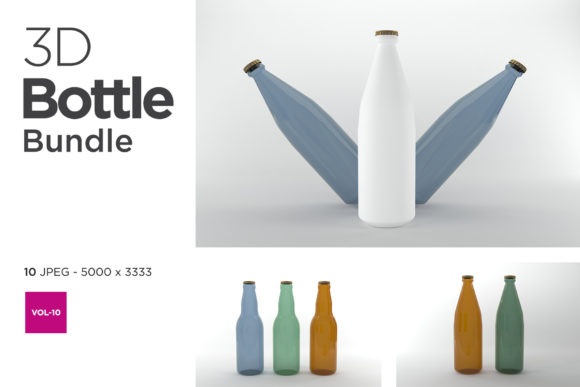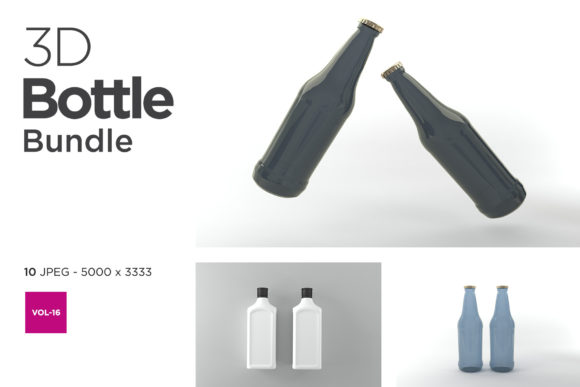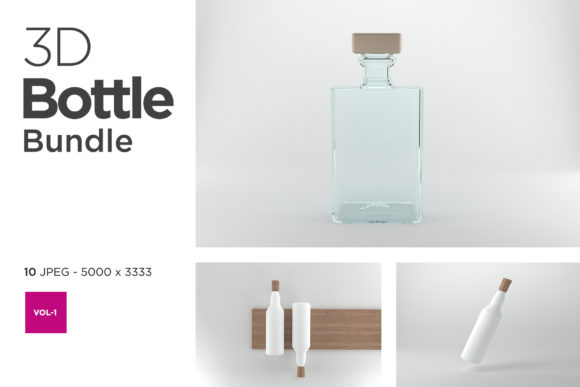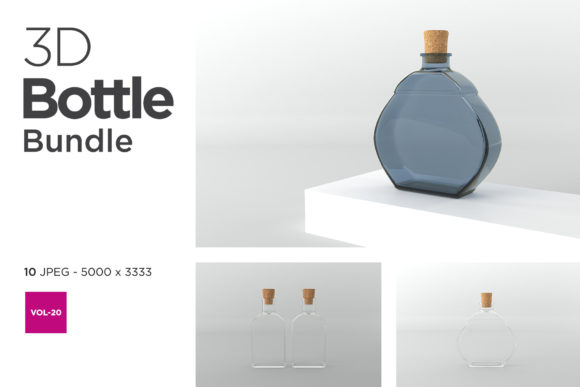
The Role of a Hand Sanitizer Bottle 3D Mockup Bundle in Modern Product Visualization
When a brand prepares to launch a new hand sanitizer, the physical bottle is often still in prototyping or production. Marketing teams, however, cannot wait for the final product to arrive before building campaigns, designing labels, or pitching to retailers. This gap between concept and physical reality is where a Hand Sanitizer Bottle 3D Mockup Bundle becomes an essential tool. It bridges the divide between an idea and a market-ready visual, allowing stakeholders to see, share, and refine the product before a single unit is manufactured.
The shift toward digital mockups has accelerated across the hygiene and personal care industries. Rather than relying on expensive photo shoots or waiting for sample runs, businesses now use layered, editable 3D models to simulate every curve, reflection, and texture of a bottle. A well-crafted bundle provides multiple angles, lighting presets, and container shapes, giving creators the flexibility to present the same product in different contexts without starting from scratch each time.
Why a Dedicated Bundle Matters for Brand Consistency
Hand sanitizer bottles come in an array of forms: pump tops, squeeze tubes, spray misters, travel-sized cylinders, and refillable station bottles. Each shape reflects a different use case and target audience. A generic mockup might capture one or two of these silhouettes, but a Hand Sanitizer Bottle 3D Mockup Bundle typically includes a curated set of the most common formats. This variety allows a brand to maintain visual consistency across a full product line without re-creating the lighting and environment for each variant.
For example, a company that produces both a 50ml pocket spray and a 500ml pump dispenser can use the same material settings, label placement, and background style for both. The result is a cohesive brand identity that feels intentional rather than patched together. Consistency in product photography—even when the photography is entirely digital—builds trust with consumers who subconsciously recognize the same visual language across different SKUs.
Another advantage lies in the ability to iterate quickly. When a regulatory change requires a new ingredient list or a marketing pivot demands a different color scheme, the mockup bundle allows the designer to update the label layer and re-render in minutes. This speed is particularly valuable for smaller brands that do not have dedicated photography studios or large design teams.
Textures, Materials, and the Illusion of Reality
A 3D mockup is only as convincing as its handling of light and surface. Hand sanitizer bottles are often made of translucent or opaque plastics, sometimes with matte finishes and sometimes with high-gloss labels. A generic 3D model might approximate these qualities, but a specialized bundle pays attention to the subtleties: the slight refraction through a clear bottle, the soft reflection on a satin label, or the way a pump mechanism casts a shadow onto the container body.
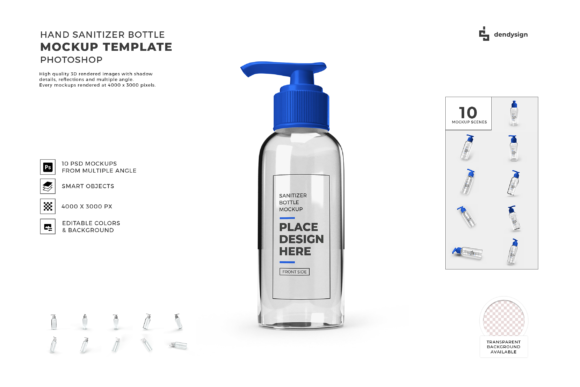
When working with a Hand Sanitizer Bottle 3D Mockup Bundle, you typically gain access to layered PSD files or smart object templates. These allow you to insert your label design into a dedicated layer, while the bottle’s inherent shading, highlights, and environmental reflections remain intact. This means you do not have to be a 3D rendering expert to produce a photorealistic result. The bundle does the heavy lifting of simulation, and you focus on the graphic design.
Real-world relevance extends beyond e-commerce listings. These mockups are used in investor pitch decks, trade show banners, social media teasers, and even internal design reviews. Seeing a product in a realistic setting before production reduces the risk of expensive last-minute changes. For instance, a designer might notice that the label text becomes unreadable against a dark bottle color only when viewed in a 3D render with realistic lighting—a detail that might be missed in a flat 2D comp.
For Entrepreneurs and Small Business Owners
Launching a private-label hand sanitizer requires speed and cost efficiency. A startup founder cannot afford to order hundreds of printed bottles for a test run only to find that the label alignment is off or the color does not match the brand guidelines. By using a mockup bundle, the entrepreneur can present a polished visual to suppliers and investors before committing to a minimum order quantity. The bundle also enables A/B testing of label designs: two mockups can be generated side by side, shown to a focus group, and the winning design selected without any physical waste.
Moreover, small business owners often manage their own social media and website content. A bundle that provides multiple poses—bottle standing alone, bottle next to a dispenser, bottle held in a hand (if included)—gives them a library of assets that look professional without the expense of a photoshoot. This visual variety keeps the brand’s feed fresh and engaging.
For Graphic Designers and Creative Agencies
Agencies handling multiple clients in the hygiene or personal care space benefit from a reusable asset library. When a new client brief arrives for a hand sanitizer product, the designer can pull the Hand Sanitizer Bottle 3D Mockup Bundle into their workflow and immediately begin laying out label options. The time saved on environment setup and lighting calibration can be redirected toward refining the actual label design, typography, and messaging.
Another consideration is client communication. Designers often present two or three label concepts to a client. With a mockup bundle, each concept can be rendered on the same bottle shape with consistent lighting, so the client compares only the design differences, not the quality of the presentation. This clarity reduces revision cycles and helps the designer maintain creative control.
For Educators and Researchers in Packaging Design
In academic settings, packaging design courses increasingly incorporate 3D mockup tools to teach students about material behavior, label scalability, and consumer perception. A bundle that includes varied bottle geometries allows students to explore how the same label design reads on a tall slim bottle versus a wide squat one. These exercises develop spatial reasoning and an understanding of how real-world constraints—such as seam lines, cap contours, and label wrap points—affect the final visual.
Researchers studying consumer behavior can also use mockups to create stimuli for experiments. For example, testing whether a translucent bottle with a brightly colored liquid is perceived as more effective than an opaque white bottle requires consistent visual stimuli. A 3D mockup bundle ensures that the only variable in the study is the bottle appearance, not the lighting or background quality.
Key Considerations When Selecting a Mockup Bundle
Not every bundle on the market delivers the same level of utility. To get the most value out of a Hand Sanitizer Bottle 3D Mockup Bundle, look for features that align with your typical workflow.
- Layer organization: The best bundles include clearly named layers and folders, with separate smart objects for the front label, back label, cap, and liquid color. This granularity lets you adjust individual elements without disturbing the overall lighting and shadows.
- Resolution and export options: If you plan to use the mockups for both web and print, ensure the bundle offers high-resolution output (300 dpi or higher) and common file formats such as PSD, PNG, or TIFF. Some bundles also include pre-rendered JPG previews for quick drafts.
- Angle variety: A single hero shot is rarely enough. Look for bundles that offer at least three to five distinct camera angles: front-facing, three-quarter view, top-down, and close-up on the pump or cap. Each angle serves a different purpose, from e-commerce listing to social media story.
- Lighting presets: Soft studio lighting works well for product catalogs, while warmer, more directional light suits lifestyle shots. A bundle that includes multiple lighting setups—or allows you to adjust the light source—gives you creative freedom without requiring advanced 3D skills.
- Customizability of the bottle shape: Some bundles allow you to swap between different bottle silhouettes within the same file. This is particularly useful when designing a line of related products. If the bundle includes templates for both a pump bottle and a spray bottle, you can ensure the label design adapts correctly to both.
Avoiding Common Pitfalls in Digital Mockups
Even with a high-quality bundle, certain mistakes can undermine the realism of the final image. One frequent issue is ignoring the label’s physical wrap. Hand sanitizer bottles are cylindrical or tapered, and a flat label placed over a curved surface should show subtle distortion. A good mockup bundle accounts for this with pre-distorted smart objects, but if you override the smart object dimensions incorrectly, the label can look stretched or misaligned.
Another pitfall is color mismatch. The RGB color space used in digital mockups may not perfectly represent the CMYK palette used in printing. If the mockup is for internal approval, this is less critical. But if it is intended to guide the printer, you should calibrate your monitor and, ideally, produce a soft proof that simulates the final print colors. Some advanced bundles include color profiles or instructions for converting the mockup to print-ready formats.
Reflections and shadows also require attention. A mockup that includes a shadow on a flat surface can look convincing, but if the shadow direction conflicts with other elements in a composite image, the viewer will sense something is off. Stick with the lighting preset that matches your campaign’s visual direction, and resist the urge to mix multiple light sources unless you are experienced with digital compositing.
Integrating a 3D Mockup Bundle Into an Existing Workflow
Adopting a new tool should not disrupt your team’s established processes. Most Hand Sanitizer Bottle 3D Mockup Bundle files are built for Adobe Photoshop, but some also support Affinity Photo, GIMP, or even browser-based editors. Check compatibility before purchasing, especially if your team uses non-standard software.
A typical workflow might look like this:
- Design the label art in your preferred vector or raster software, keeping critical elements (logo, text, barcode) away from the edges to avoid cutting or distortion during wrap.
- Open the mockup PSD file and locate the smart object layer for the label.
- Paste your label design into the smart object, scaling and positioning it to match the template’s guidelines.
- Save the smart object, which automatically updates the mockup scene.
- Adjust auxiliary layers such as liquid color, cap color, or background tint if the bundle permits.
- Export the final render in the desired resolution and format.
This process can be repeated for every label variation, and the resulting images will share the same photographic quality. Over time, you can build a library of renders that cover different seasons, promotions, or regulatory markets, all derived from the same core bundle.
The Broader Shift Toward Digital-First Product Presentation
The growing reliance on 3D mockups reflects a larger trend in consumer goods: the expectation that products will be shown in multiple contexts before they exist physically. E-commerce platforms, social media algorithms, and even retail buyers now favor brands that can produce high-quality visual content rapidly. A hand sanitizer bottle that appears in a clean studio shot on the website, in a lifestyle setting on Instagram, and in a comparison grid on a comparison shopping engine is more likely to capture attention and convert viewers into customers.
Moreover, sustainability considerations play a role. Producing physical samples for every design iteration generates plastic waste and carbon emissions from shipping. Digital mockups reduce this environmental footprint while allowing more creative exploration. A brand can explore ten label designs digitally and commit only the winning one to print, cutting waste significantly.
For creators who work with multiple clients or product categories, a bundle specifically tailored to hand sanitizer bottles eliminates the need to adapt generic bottle templates that lack the correct cap style, neck finish, or wall thickness. The time saved on geometry tweaks and texture adjustments adds up quickly, making the bundle a practical investment rather than a luxury.
Ultimately, a Hand Sanitizer Bottle 3D Mockup Bundle functions as both a creative accelerator and a risk mitigation tool. It allows designers, marketers, and business owners to communicate the intended product vision clearly and cheaply, long before the manufacturing line starts. Whether you are launching a new brand, refreshing an existing line, or teaching the next generation of packaging designers, having a reliable set of photorealistic templates in your toolkit transforms the way you present and iterate on product concepts. The mockup is not just a representation of the bottle—it is a representation of the thought, care, and strategy behind the product itself.